E63000 - Physician Preference Card By DOS
Function:
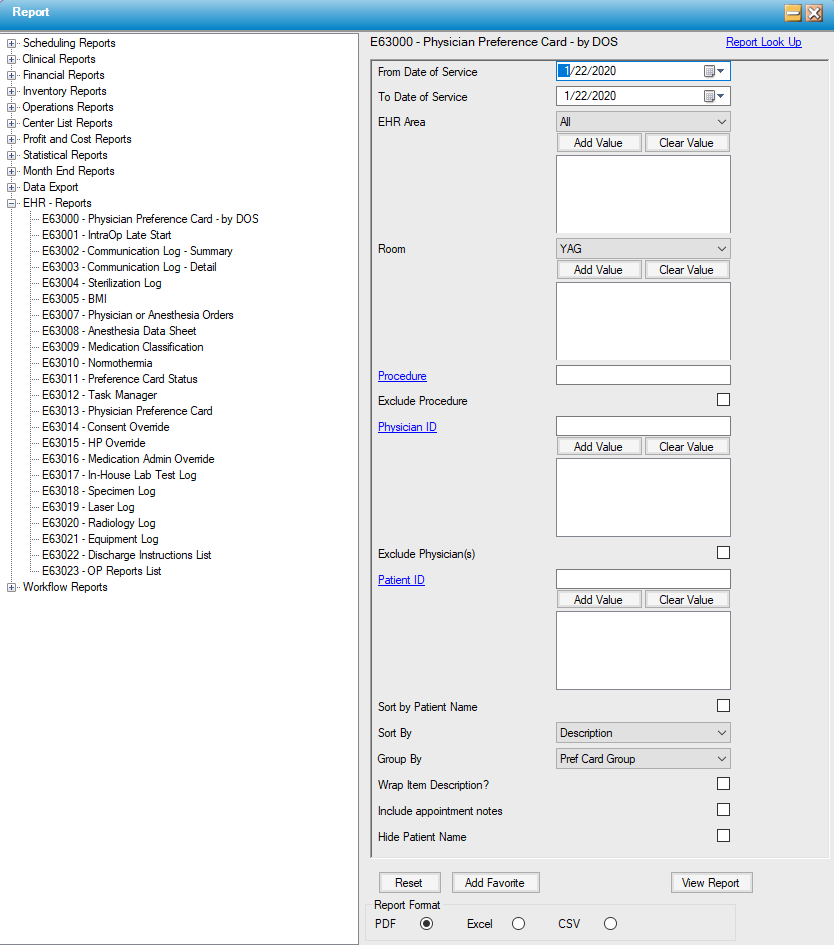
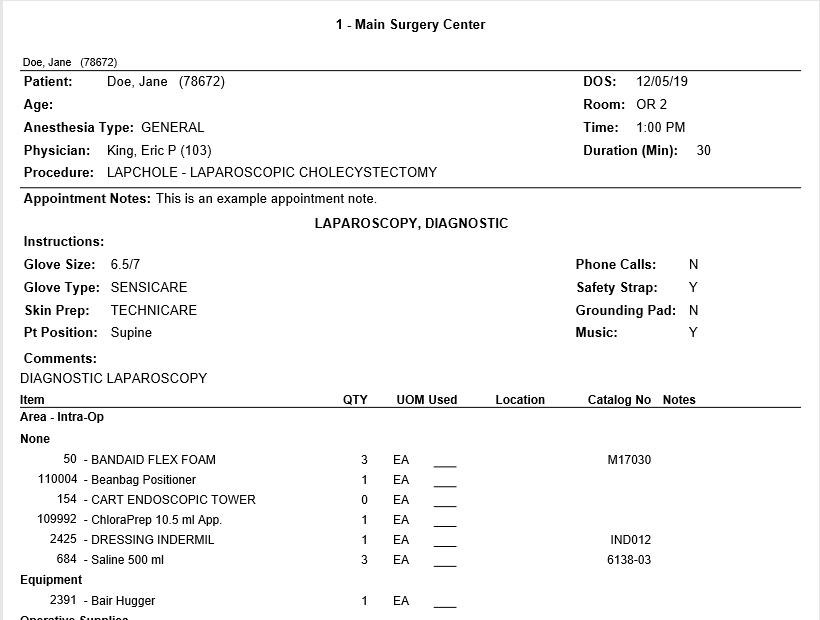
This report shows preference cards for a specific provider by Date of Service. Physician preference cards are provider specific. This report allows the user to print a specific group of supplies by area.
Usage:
Required filtering: From/To Date of Service
Optional filtering: Room, Procedure, Exclude Procedure, Physician ID, Exclude Physician(s), Patient ID
Select Sort by Patient Name to sort the preference cards by patient name. Default sorting is by room.
Sorting options (for preference card contents): Description (default), Catalog Number, Item Location
Grouping options (for preference card contents): Preference Card Group (default), Item Category, Item Location, and None
Select Wrap Item Description? to wrap the item description to a new line.
Select Include Appointment Notes to include any appointment notes in HST Practice Management.
Select Hide Patient Name to hide the patient's name.
Sample Output:
For more information on report output options, view Reports Overview help page.
Report Filter: